
It’s time to get serious about ai.
Build Your Own Landing Page in 1 Hour
PART SIX: A Special Class
WISPR FLOW
Get your copy of Wispr Flow (free version) here. I will get credit for you signing up. This is a terrific tool for saving time and you get 2000 words per week for free.
I am including a set of tools for you today.
The Freestanding Page Builder Set.
BYOK… Bring Your Own Key.
Today I will show you how to create a powerful landing page, and using several Claude design.Mds, make it even better.
Here is the zip file.
free standing page builder.zip
Inside you will find two tools and two sets of instructions.
Landing Page Copy Writer Guide: the instructions to using the tool to get the copy for this simple landing page.
Landing Page Copy Writer: The tool to write your Landing Page Copy.
Landing Page Builder Guide: Instructions on using the Landing Page Builder to best results.
Landing Page Builder: The tool for designing a simple landing page formatted like these.
GITHUB is a repository of code.
This is a repository of Claude Design Skills that emulate the sites listed.
My favorite is Impeccable. You will have to let Claude help you install it. It will only install for Claude Code, not CoWork.
Meeting Notes
Quick recap
Don conducted a training session on new landing page creation tools he developed, demonstrating how to use the Copywriter and Page Builder tools to generate landing pages with specific formatting requirements. The tools use Claude to automatically generate copy and page elements based on user inputs, allowing for quick turnaround times of approximately one hour from client meeting to landing page completion. Don explained the business model of selling static HTML pages to clients with optional monthly maintenance fees, and showed how to implement the pages on various hosting platforms including WordPress and Netlify. The group discussed technical aspects including SEO considerations, image naming conventions, and the new InStatic tool for creating static pages that could potentially replace WordPress. Several participants, including Mike who successfully created a landing page using the tools, shared their experiences and asked questions about implementation and customization options.
Next steps
Trish
Collaboration
- All participants: Use the new landing page copywriter and page builder tools provided by Don to create or update their landing pages.
- All participants: Share their landing page results with the group after using the tools.
- All participants: Experiment with adding galleries, videos, or other elements to their landing pages using Claude.
- All participants: Consider using the landing page tool to create quick websites for potential clients and present them for sale.
- All participants: Utilize the double token period in Claude Code (until July 5th) to build projects.
Summary
Technical Issues and Meeting Access
The meeting began with participants experiencing technical difficulties accessing the Zoom link, with multiple people reporting invalid meeting ID errors. Don explained that he had sent out meeting invitations multiple times, including to Facebook groups and the mentorship group, though some participants like Luciana only saw emails. The main discussion centered around a technical issue where dates had been removed from call releases, causing system problems that Don and Claude worked to resolve.
New Landing Page Toolset Introduction
Don introduced a new toolset containing a Landing Page Copywriter and Page Builder with detailed guides for creating landing pages. The tools follow a specific format including image, text, bio section, three cards, call to action, and testimonials, with the copywriter generating content based on input from the user. Don clarified that existing landing page methods can continue to be used, and the new tools are optional enhancements that could streamline the process from client meetings to landing page creation within an hour.
Web Design Tool Demonstration
Don demonstrated a web design tool that allows users to customize various elements including colors, content sections, and social media links. He showed how to use the tool’s features such as rolling up completed sections and managing testimonials, addressing Trish’s question about handling the lack of real testimonials by suggesting using generic content about main service areas. Don also explained the process of downloading design files from a repository and using Claude to reduce the code length to 60-90 lines for the design MD.
Website Design Tools Demonstration
Don demonstrated how to update website images and design elements using various tools including Claude and Impeccable. He showed different design variations created with these tools, explaining that Impeccable is still being developed and currently requires more technical knowledge to use. Don indicated he wanted the team to follow along with his process, though the transcript ended before he could complete his demonstration.
Claude Landing Page Creation Demo
Don demonstrated how to use Claude to create a landing page with eight images, explaining that the resulting HTML file can be deployed on any web server. He showed how the tool allows for easy content updates without requiring code editing, and discussed business applications including creating templates for different clients and selling website services with monthly maintenance fees. The group discussed SEO considerations for static pages, with Don advising that while traditional SEO elements like meta tags aren’t automatically generated, manually adding them won’t hurt and could potentially benefit search visibility. Mike successfully created a landing page using the tool and shared it with the group, demonstrating the customization options available through back-and-forth interactions with Claude.
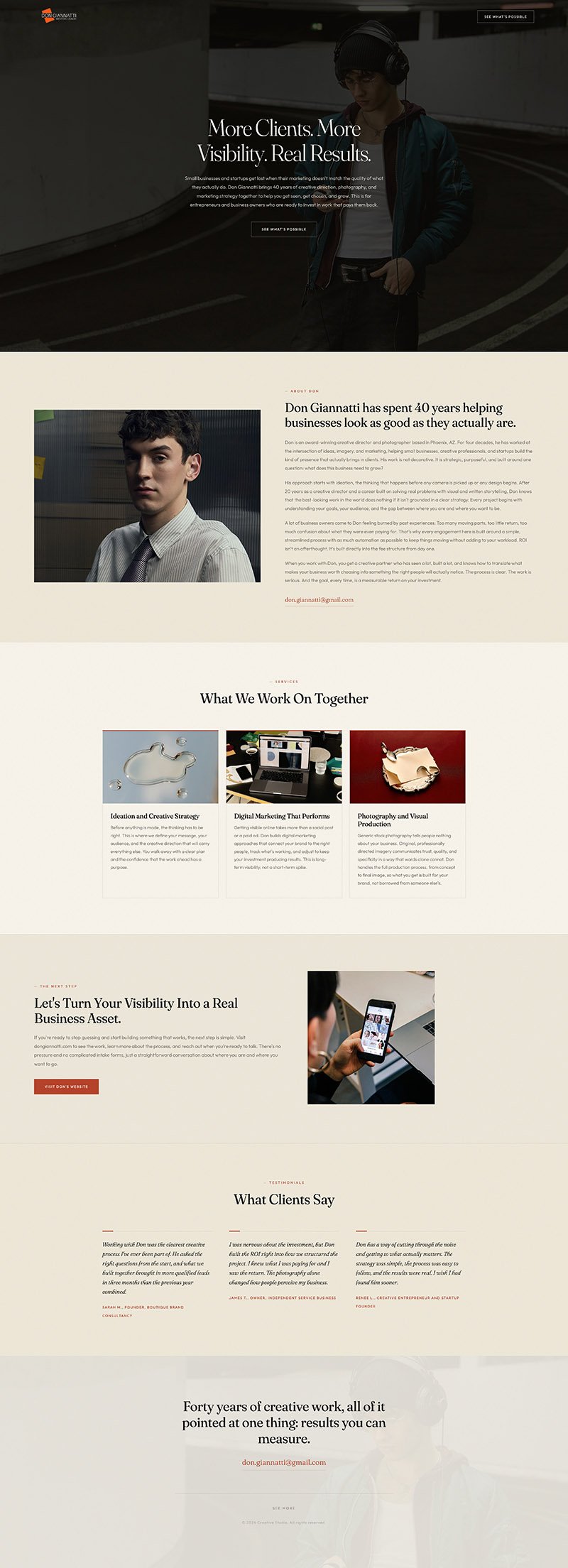
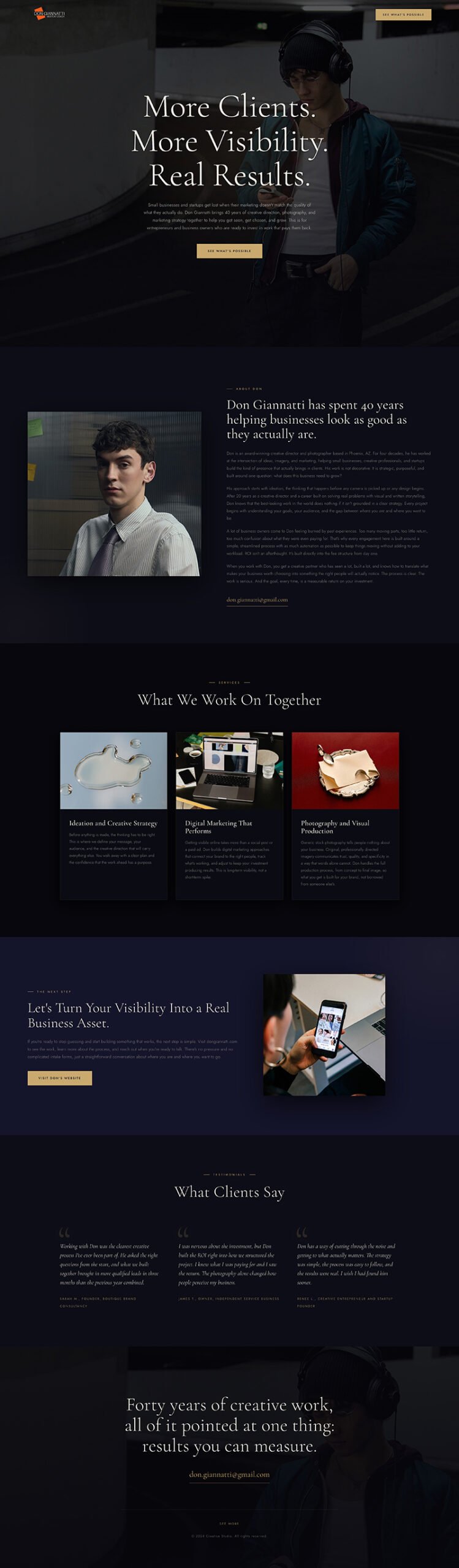
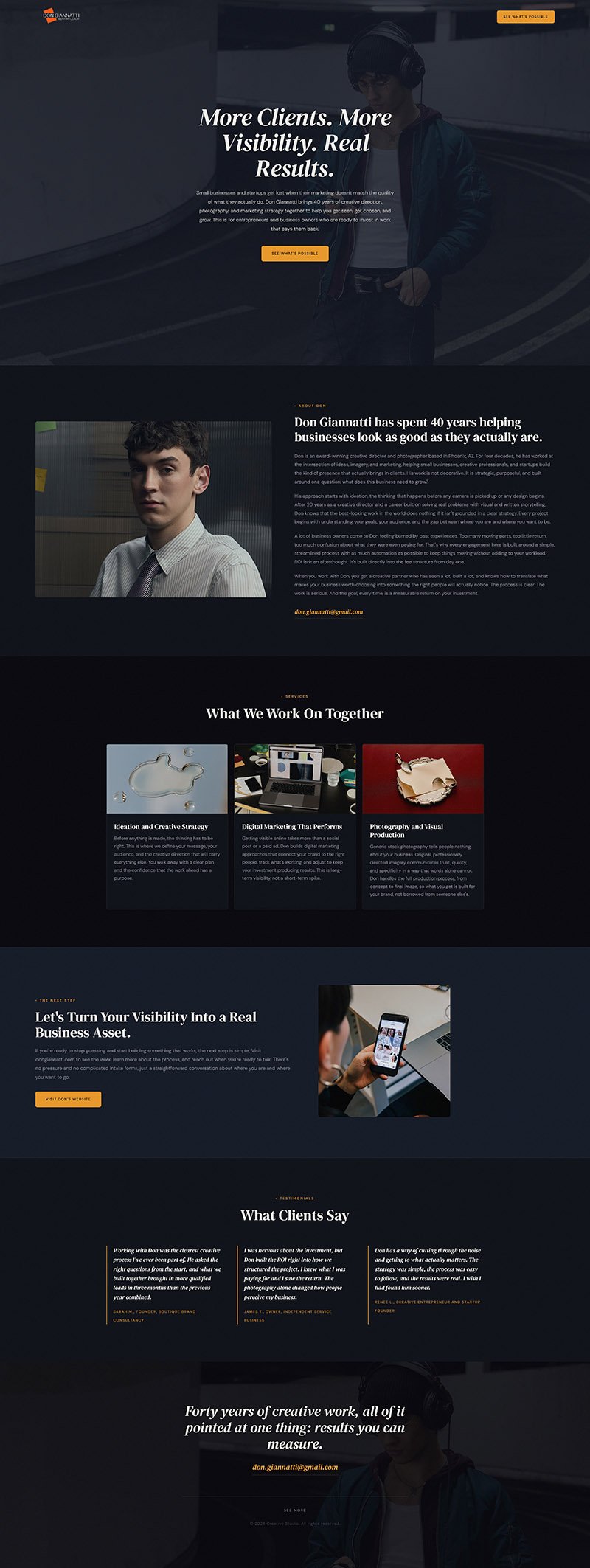

The page after we told Claude to add the 8-image gallery.
“Two rows,
Four Columns
8 images,
All portrait,
All 500×750 pixels
Named gal1.jpg, gal2, jpg etc…”
“Before we build, do you have any questions or any ideas for this task?”
Be specific.
If you wanted them to expand into a lightbox, tell Claude.
“On Mouseclick, expand the image into a carousel with forward and back buttons.”
Ask for clarification.
“Does this make sense?”
Ask if you are using the correct terms.
“What would be the correct way to ask you to make a carousel of images that expand on mouse click and are put away with an X on the top right?”
The tool will help you make the right call and if it gets it wrong, let it know what happened and then ask to have it explain what it is going to do BEFORE rendering more code.